


Learn to Read - Duolingo ABC
4.0933.00 Reviews
App Specs
- Version
- 1.25.1
- Updated On
- License
- Free
- Downloads
- 10,000,000+
- Developer
- Duolingo
- Categories
- Education
- Platform
- Android, iOS
Screenshots
 Analysis by AppCompare
When I choose a reading app for a young child, I look for more than bright colors: the activities should make early reading feel approachable, and the app should fit into a real family routine. Learn to Read - Duolingo ABC is a free education app from Duolingo for children learning the basics. It suits families looking for a playful first step, though I would treat it as a supplement to reading together rather than a replacement for books or adult guidance.
Choosing the right starting point
The age range attached to the app is broad, so the best question is not simply whether a child falls within it, but what they can already do. A child who is just beginning to notice letters may benefit from short, guided practice; one who reads independently may find the material too elementary. I would try a session alongside the child and watch whether they can follow the activity without frustration or whether the pace feels too easy.
That first look also helps answer a practical question: does the child enjoy learning through tapping and listening, or do they engage better with physical books, letter cards, and conversation? Digital practice can make repetition inviting, but it cannot replace the experience of sharing a story, asking what a character might do next, or letting a child turn pages at their own speed.
What’s the Buzz About?
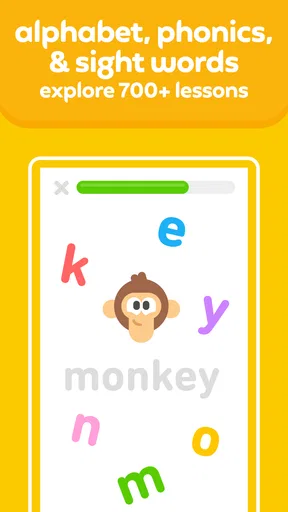
So, what exactly is Learn to Read - Duolingo ABC? Essentially, it’s a learning app aimed at young readers, primarily kids aged 3 to 6. It's developed by the same folks who brought us the popular language-learning app Duolingo, so you know they’ve got the educational chops. The app offers interactive lessons that focus on phonics, sight words, and reading comprehension. Plus, it’s all wrapped up in a colorful, kid-friendly interface.
A Kid’s Playground
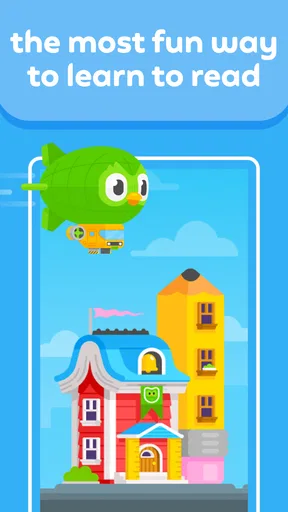
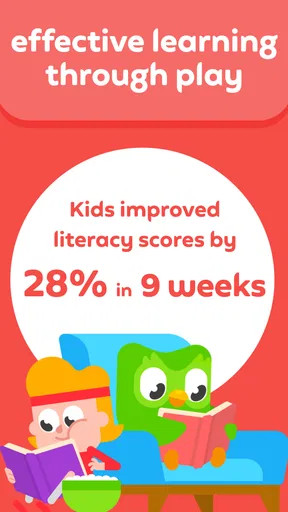
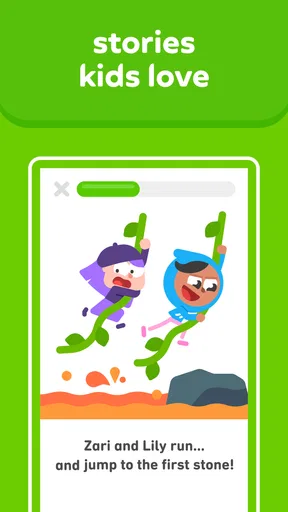
One of the first things you’ll notice about Duolingo ABC is its vibrant and engaging design. The app uses cute characters and playful animations to keep kids entertained while they learn. It's like a digital playground where learning feels like play. Kids can tap, swipe, and interact with the screen, which helps keep their attention focused. This playful approach is a great way to introduce reading without making it feel like a chore.
In everyday use, I’d make the app one small part of a predictable routine rather than handing over a device for an open-ended stretch. For example, after breakfast, a parent could sit nearby while a child completes a little practice, then ask them to find a letter or word on a cereal box or in a picture book. That simple handoff from screen to the room gives the activity a purpose beyond collecting taps, and it lets an adult notice which sounds or letters are beginning to stick.
A useful trade-off is that an animated interface can help a reluctant learner get started, but it can also make the screen itself the main attraction. I’d pause occasionally and ask the child to say a sound aloud or explain what they just matched. If they can connect the activity to spoken language, the session is doing more than keeping them occupied. If they are rushing through without attending to the letters, it is a good moment to stop rather than stretch the session.
Worth Reading Before You Choose

EA SPORTS FC Mobile 26 Is a Bigger Football Game, but It Takes Time

Flipboard Shows What News Apps Must Do Beyond the Feed

Switching to Android Auto Means Rethinking Your Driving Routine

Google Calendar Makes a Crowded Week Easier to Manage

Ludo King Makes the Most of the Minutes Between Plans

Baby Panda World Brings Quick Play to Modern Phones, but Its Game Library Feels Busy
Interactive Learning
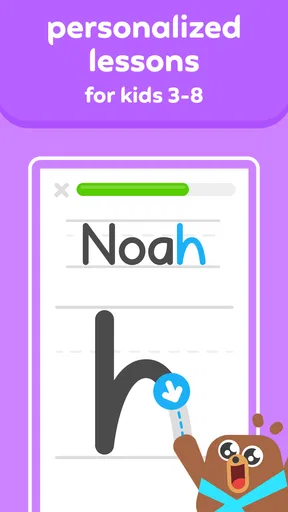
The app’s lessons are interactive and adapt to the child's learning pace. It starts with simple letter recognition and progresses to forming words and sentences. The combination of visual aids and sounds makes it easier for kids to understand and remember. The app emphasizes phonics, which is essential for developing reading skills. It also includes sight words to help with word recognition.
That mix matters because children do not always learn every word in the same way. Sounding out a new word and recognizing a familiar one at a glance are related but different tasks. I like the idea of giving a beginner practice with both, while keeping an adult in the loop to connect the exercises to real reading. If a child repeatedly hesitates on a sound, I would use that as a cue to revisit it together rather than assume that moving through an app activity means the skill is secure.
Families wondering whether they need to teach alongside the app can take a middle path: let the child interact independently when they are comfortable, but check in before and after a session. A quick question such as “What sound did you practice?” can show whether the lesson made sense without turning play into a test. Younger children may need more help staying on task, while a confident early reader may be ready to explore with less intervention.
Parents, Rejoice!
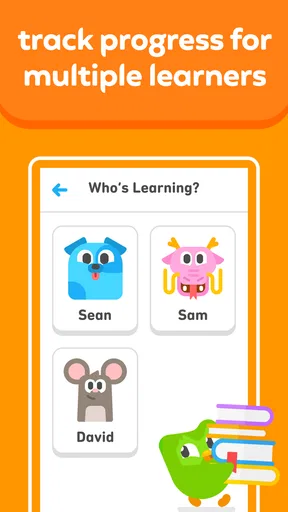
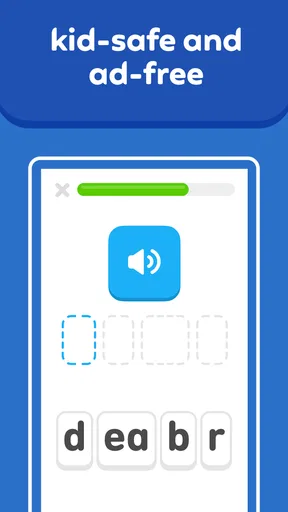
Parents will appreciate the fact that the app is ad-free. Yes, you heard that right. No annoying ads popping up in the middle of a lesson. It’s just pure, uninterrupted learning time. Plus, the app provides a progress report so you can see how your little one is doing. It’s a nice way to stay involved in their learning journey without having to hover over their shoulder.
For a parent, progress information is most useful as a conversation starter, not a verdict on a child’s ability. I would look for patterns over time and pair them with what I see away from the device: does the child recognize a sound in a story, or remember a word during ordinary conversation? A progress report can help guide what to practice next, but a child’s mood, attention, and confidence matter too. There is no need to turn every session into a performance check.
The practical setup is simple: decide where and when the device is available, and make sure the child can use it comfortably. If the screen is shared with siblings or used for other activities, a parent may want to keep the reading session short and clearly bounded. This makes it easier to keep the app associated with a focused activity instead of an invitation to keep using the device indefinitely.
Room for Improvement
While Duolingo ABC is pretty fantastic, it’s not perfect. Some parents have noted that it could use more advanced content for older kids. The app does a great job with beginners but could expand to include more complex reading materials. Also, a bit more variety in the exercises could keep things fresh for kids who might get bored with repetition.
That beginner focus is the main reason I would not choose it for every child. An older child who already reads simple books may need longer passages, richer vocabulary, and opportunities to discuss a story; a dedicated book, library visit, or more advanced reading resource may be a better fit. Likewise, if a child needs direct help with a particular difficulty, an app alone is not a substitute for a teacher or specialist who can respond personally.
It is also worth thinking about what “independent use” means at this age. A child may be able to operate the screen without help but still need an adult to interpret a confusing prompt, encourage them after a mistake, or notice when they have lost interest. I would not rely on any digital activity as a stand-in for shared reading. The strongest routine is usually a blend: a little guided practice, a real book, and plenty of relaxed conversation about words and sounds.
Why It’s Worth a Try
Overall, Learn to Read - Duolingo ABC is a solid choice for parents looking to give their kids a head start in reading. It combines educational value with fun, making it a win-win for both kids and parents. The app is easy to use and doesn’t require much supervision, which means you can let your child explore it on their own while you take a breather.
It is free, rated for Everyone, and has a 4.1 average from around 22,000 ratings, with more than 10 million installs. It was released on May 16, 2022, and its current version is 1.22.0; it runs on Android 5.1 and later. Those details make it easy to consider as a low-cost starting option, but popularity cannot tell you whether the teaching style suits your particular child. A short trial together is more useful than assuming that a widely used app will automatically be the right match.
Compared with ordinary alphabet games, this is more clearly aimed at building a path from letter awareness toward words and sentences. Compared with shared picture books, it offers a more interactive way to practice but less room for a parent to tailor the conversation to a child’s questions. I see those as different tools, not a contest: use the app when a child wants hands-on practice, and choose a book when the goal is storytelling, discussion, or a calmer break from screens.
Switching away later should be straightforward in principle: keep the useful habits, such as noticing letter sounds and practicing familiar words, and move them into books or other activities. The harder part may be keeping a child interested if they have come to expect animation every time they read. I would balance screen sessions with print from the beginning, so the child learns that reading is enjoyable in more than one format.
So, if you’re in the market for an educational app that’s both effective and enjoyable, give Duolingo ABC a shot. It’s free, it’s engaging, and it just might be the tool that helps your child develop a love for reading. Happy learning!
My recommendation is strongest for a preschool or early-primary beginner who enjoys interactive practice and has an adult nearby to make connections to everyday reading. I would skip it as the main solution for a child who has already outgrown beginner material, or for a family seeking a screen-free approach. Used in short, thoughtful sessions alongside books and conversation, it can be a welcoming way to make early reading practice feel less like homework.
Pros
- Engaging
- fun interface for children.
- Wide range of interactive activities.
- Progress tracking for parents.
- Free to use with no ads.
- Supports multiple languages.
Cons
- Limited content for advanced readers.
- Requires internet for full features.
- Some features need parental setup.
- No offline mode available.
- Lacks customization for learning pace.
FAQs for Learn to Read - Duolingo ABC
What age group is Duolingo ABC suitable for?
Duolingo ABC is designed primarily for children aged 3 to 7 years old. The app focuses on teaching young learners the basics of reading through interactive and engaging lessons. It's a great tool for parents who want to give their children a head start in literacy in a fun and educational way.
Does Duolingo ABC require an internet connection to function?
Duolingo ABC can be used both online and offline. While an internet connection is needed to download the app and any updates, the majority of its lessons and activities can be accessed without connectivity. This makes it convenient for use on-the-go or in areas with limited internet access.
Is Duolingo ABC free to use, or are there in-app purchases?
Duolingo ABC is completely free to use. There are no hidden costs or in-app purchases, making it an excellent resource for families looking for an affordable educational tool. The app provides a wide range of content without any subscription fees, ensuring accessibility for everyone.
How does Duolingo ABC keep children engaged?
Duolingo ABC uses a variety of interactive features to keep children engaged. The app includes colorful animations, playful characters, and fun exercises like tracing letters and matching words with pictures. These elements are designed to make learning enjoyable and maintain the child's interest throughout their reading journey.
Can parents track their child's progress in Duolingo ABC?
Yes, Duolingo ABC allows parents to track their child's progress. The app provides insights into what lessons have been completed and how well the child is doing. This feature helps parents stay informed about their child's learning progress and identify areas where they might need additional support.


